
This is from a prompt about travel from Open Write.
Peace (trotting the globe with words),
Kevin
If you don’t live it, it won’t come out of your horn. ~ Charlie Parker

This poem is a “borrowed rhyme” poem for #OpenWrite, in which you use the last words of rhyme from another poem and build out, from the left. I borrowed words from I Wandered Lonely As a Cloud by William Wordsworth
Peace (shifting left),
Kevin

This poem is inspired from Open Write, in a Tricube format (three stanzas, three lines, three syllables).
Peace (in the moment),
Kevin

This poem was inspired by the first day of VerseLove at Open Write. There will be a prompt every morning, if you want to join in.
Peace (in the dark),
Kevin

Over on Mastodon, my friend Algot and I have often ping-poem Haiku poems on Sunday mornings. Sarah, another friend, shared out some Basho haiku with us, and Algot responded with a poem of his own, wondering how to be inspired by such a writer as Basho, whose exactness and eye for specific detail is something to behold.
My poem here is a response to Algot, and to Sarah, and note to myself. I write haiku nearly every morning, but it is a very quick writing routine that begins my day, but unlike Basho, I sometimes (often) generalize too much, or get a little lazy with word choice, and then shrug my shoulders, create and post, and move on.
Peace (in the little details),
Kevin
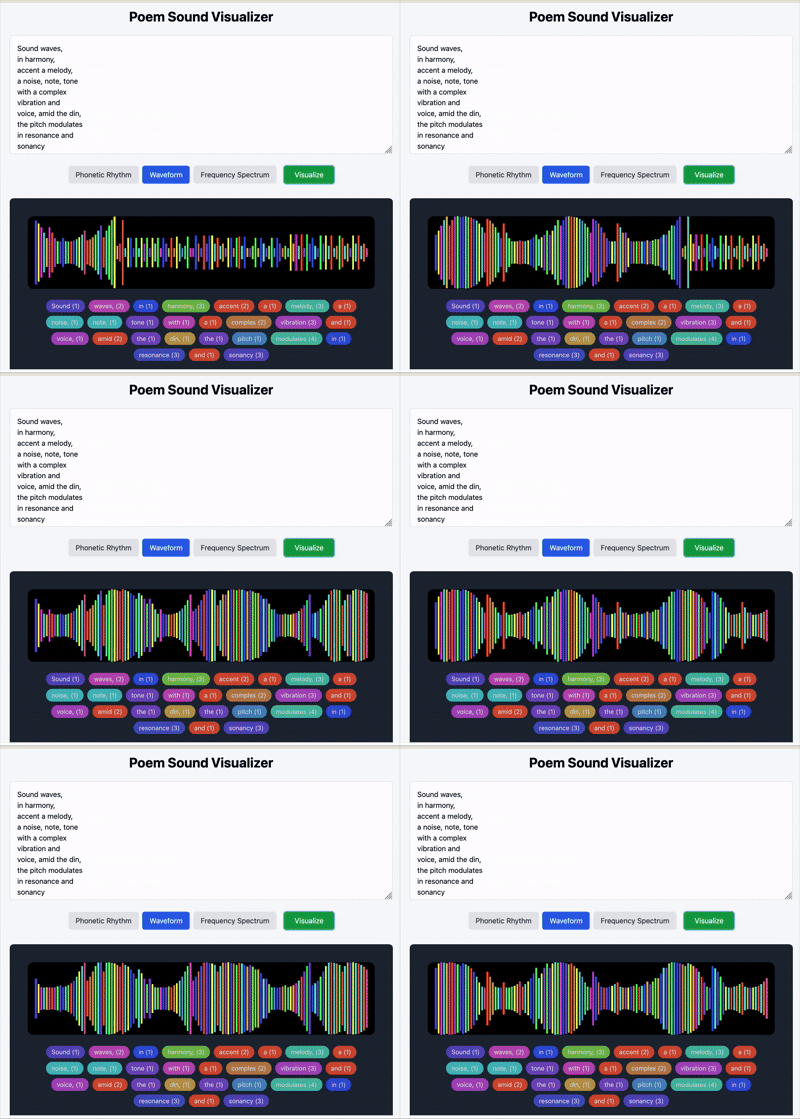
This is my third post about using Anthropic’s Claude to Vibe Code or create small web apps, and after guiding the AI to make an app that used sound visualization art for some of my own poems (see post), I wondered if I could get Claude to create an interactive web app that would allow anyone to input their own short poems and get sound visualization responses to their words.
Yep.
I spent time asking it for three visual variations for inputted poetic text based on syllable and letter counts:
Check out the Poetry Sound Visualizer. Give it test, if interested, and let me know what you think.
Caveat: I did not mind feeding my small haiku poems into the AI tool but you should at least think about how your words might be used by the Claude AI Large Language Model system. All words likely feed its database of phrases, etc. It’s good to be aware.
Peace (listening in),
Kevin

Yesterday, I shared my first forays into Vibe Coding with Anthropic’s Claude. Vibe coding is the term for using AI to create small web apps for a specific task. While some coding skills are helpful, they are not necessary. It’s more that you need to refine your instructions and revise the AI’s work until you get to something close to what you want to have created.
With Claude, it builds the apps right in it window and then provides a preview, and then hosts the app online, when you hit the publish button. I am not sure if other AI apps do it the same way or not.
I decided to try to get a little deeper into vibe coding, using a series of recent morning Haiku poems as the text. I did a few experiments to work with the poems (such as randomizing phrases to create new poems, and switching lines of the poems with other lines of poems to create new poems) but then a side experiment with an interesting response by Claude sparked an idea around the concept of word-to-sound.
I went into that word/sound/visualization rabbit hole, trying to get at a way to create an app that connected my poems to sound visualization.
It worked, and I think it’s pretty nifty.
Here are the notes from Claude on what it was doing as it was coding:
I’ve created an expanded application that explores the connection between poetry and sound through four different audio-inspired visualizations:
Each visualization uses sound-related principles to transform your poems into visual representations that capture their acoustic qualities. The app analyzes:
These visualizations help reveal the musicality inherent in your poetry, demonstrating how the sound patterns contribute to each poem’s unique character and flow.
Peace (sounding like poems),
Kevin
Peace (and poems),
Kevin

For today’s DS106 Daily Create, the prompt was to use entries from a Thesaurus on any word, and build a poem out of the results. I used “sound” as my word, and then took all of the results into a word art generator, and then built a poem in the middle of the headphones.
Peace (and sound),
Kevin

The final prompt for this month at Open Write was a character poem. I am still baffled by the character of Charles Wallace from A Wrinkle In Time. Decades later, he still surfaces from time to time.
Peace (in time),
Kevin